Run your buildings from QR codes on the wall
Occupants report problems by scanning a QR. Your team inspects on a phone and fixes what fails. Equipment carries its own service history, contractors sign in at the door, and you're reminded before insurances and certificates lapse.
Included in Pro from US$15/month, with 100 dynamic QR codes. Cancel anytime. Compare plans

What needs attention, in one place
These are the actual screens, with fictional sample data.
Real Scansational screens — sample data.
See what needs attention across your sites
Open and overdue corrective actions, insurances and certificates expiring soon, and inspections due this week — on one overview.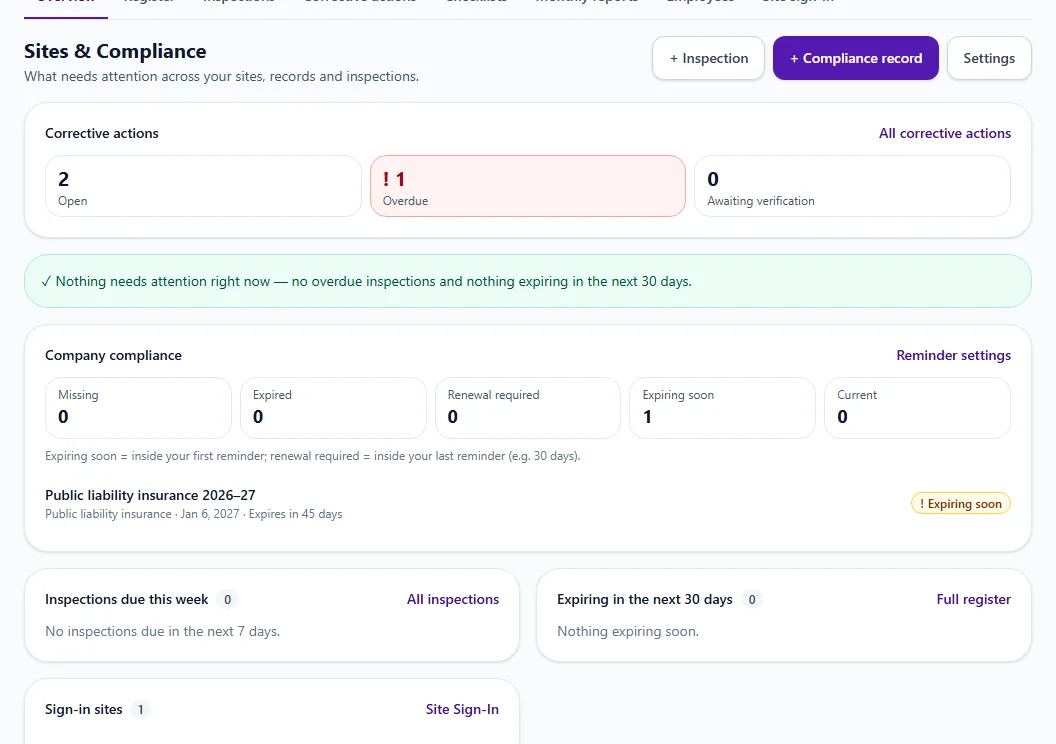
Inspect on a phone
Scored checklists with photos and sign-off. Start from ready-made templates and tailor them to each building.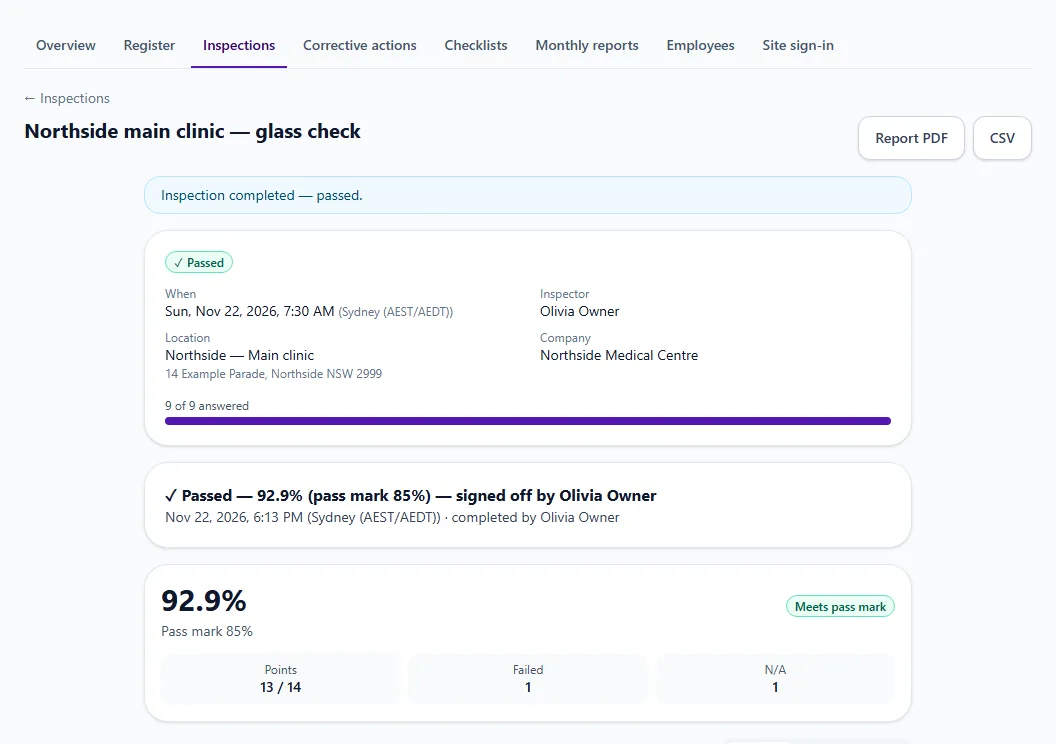
Fix what's found
Failed items and reported issues become corrective actions with an owner, a due date and photo evidence when they're done.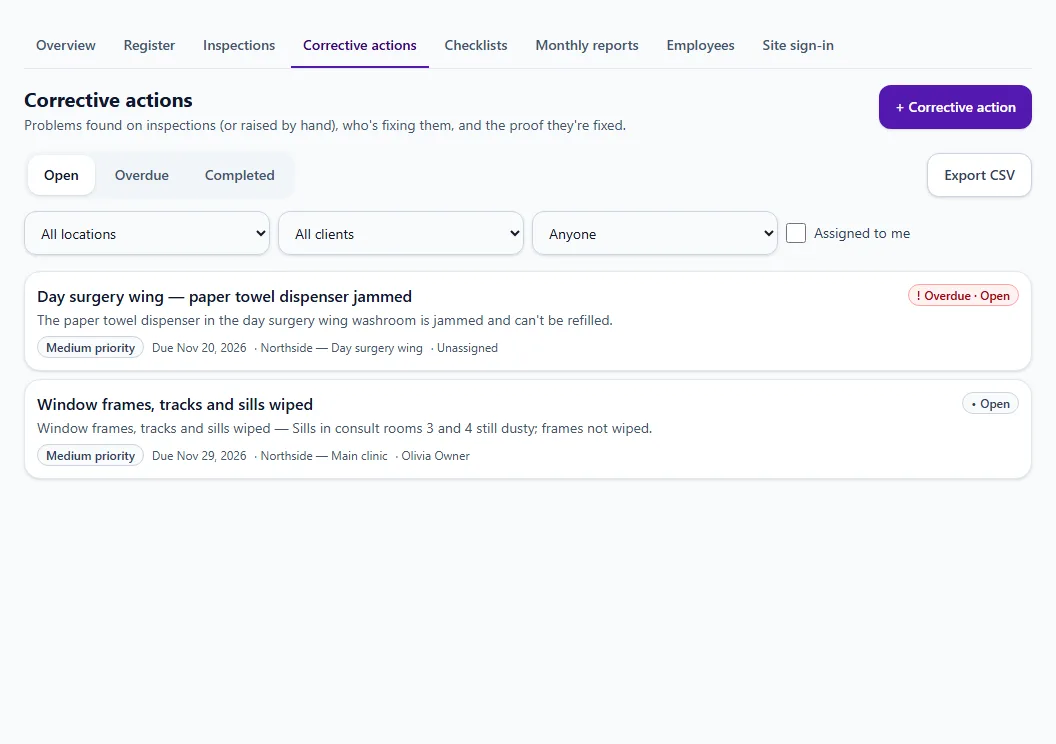
Never miss a renewal
Keep insurances, certificates and permits with their expiry dates. Reminders go 90, 60 and 30 days before and on expiry, or on the days you choose.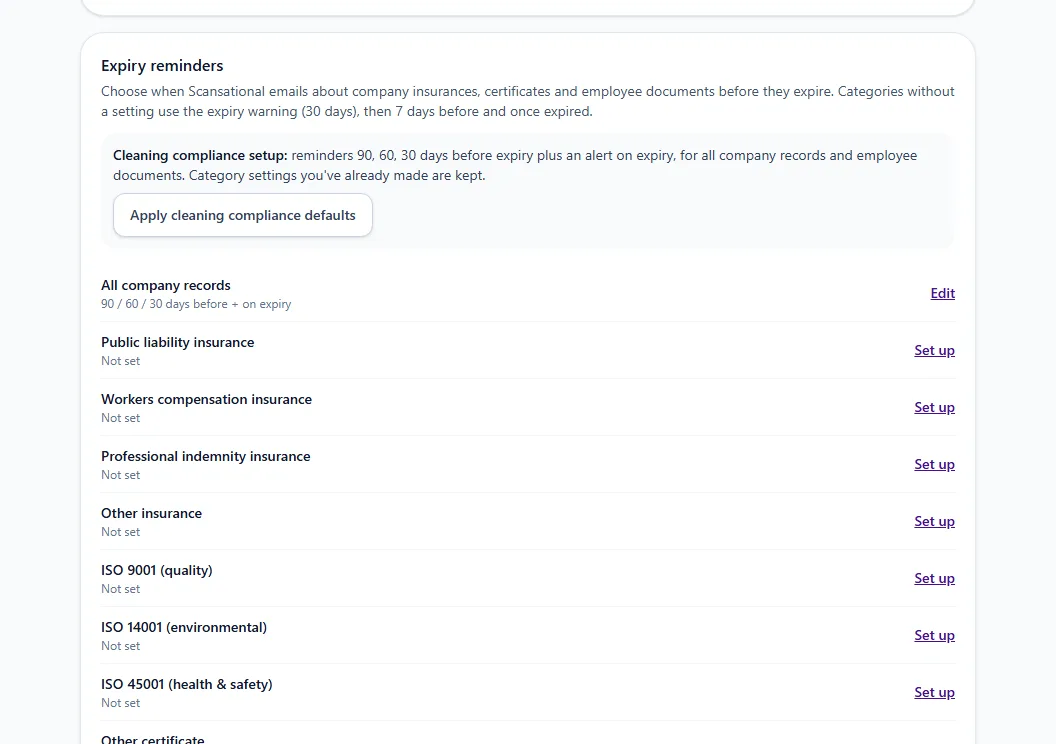
Issues reported where they're found
Put a feedback QR in washrooms, lifts, kitchens and meeting rooms. Occupants choose a category, describe the problem and add a photo — no app, no login. Reports arrive tagged with the exact location. See fault & issue reporting.
Plant and equipment
A QR label on each asset holds its manuals, service history and next service date, and lets anyone report a fault against it. See equipment maintenance.
Contractors and visitors at the door
Contractors sign in with their company and credentials; visitors sign in at reception. You see who's in each building and can run a roll call. See contractor sign-in and visitor sign-in.
Planned work and your team
On Business and above, schedule jobs and repeating work, give field staff a “My work” list on their phone, turn a reported issue into a job, and invite supervisors who only see the sites you assign.
What it is, and what it isn't
Scansational records inspections, issues, work done, sign-ins and expiry dates, and reminds you what's due. It isn't a building management system and doesn't certify compliance with any regulation or standard.
Frequently asked questions
- Do occupants or contractors need an app?
- No. Everything public — issue reports, sign-in, equipment pages — opens in the phone's browser from the QR code.
- Can I manage several buildings?
- Yes. Inspections, actions and reports are organized by client and location, sign-in has an all-sites view, and Business and Agency add separate workspaces.
- Which plan do I need?
- Inspections, issue reporting, equipment, sign-in and compliance reminders are included on Pro and above. Jobs & scheduling, team members and email alerts for equipment and feedback need Business or Agency.
Ready to try it?
Included in Pro from US$15/month, with 100 dynamic QR codes. Cancel anytime. Compare plans