See a problem? Scan. Report. Done.
Give visitors, customers and staff a simple way to report issues exactly where they happen. A QR code on a restroom door, a kitchenette or any shared space opens a short report form — no app, no account — and the report lands in your dashboard already tagged with that location.
Included in Pro from US$15/month, with 100 dynamic QR codes. Cancel anytime. Compare plans
What happens after someone scans
The person who spotted the problem uses their own phone. Your team works from the dashboard. These are the actual screens.
Real Scansational screens — sample data.
They describe the problem
The code opens a short form for that exact location. They choose an issue category, say what's wrong and can take or add a photo. No app, no account; a name and contact detail are optional unless you require them.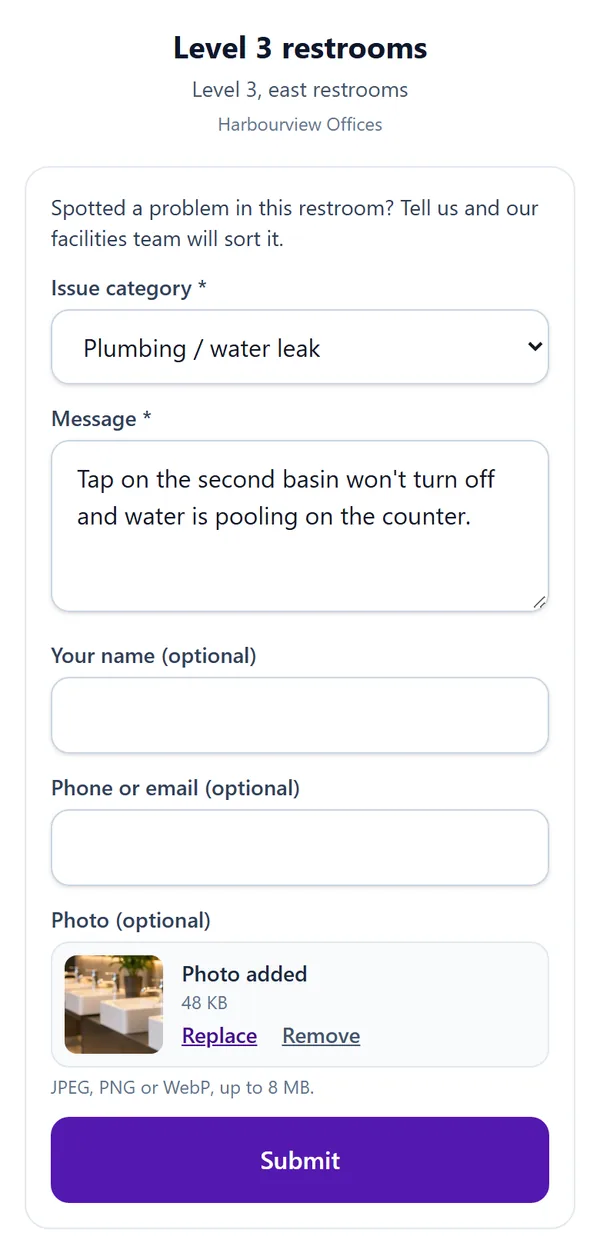
They get a reference code
After sending, they see your confirmation message and a reference code. That code is the only thing they need to check on the report later: no account, no email address.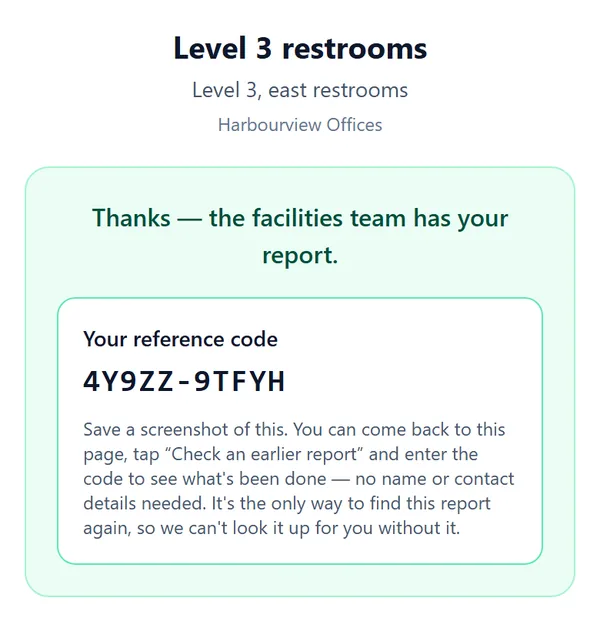
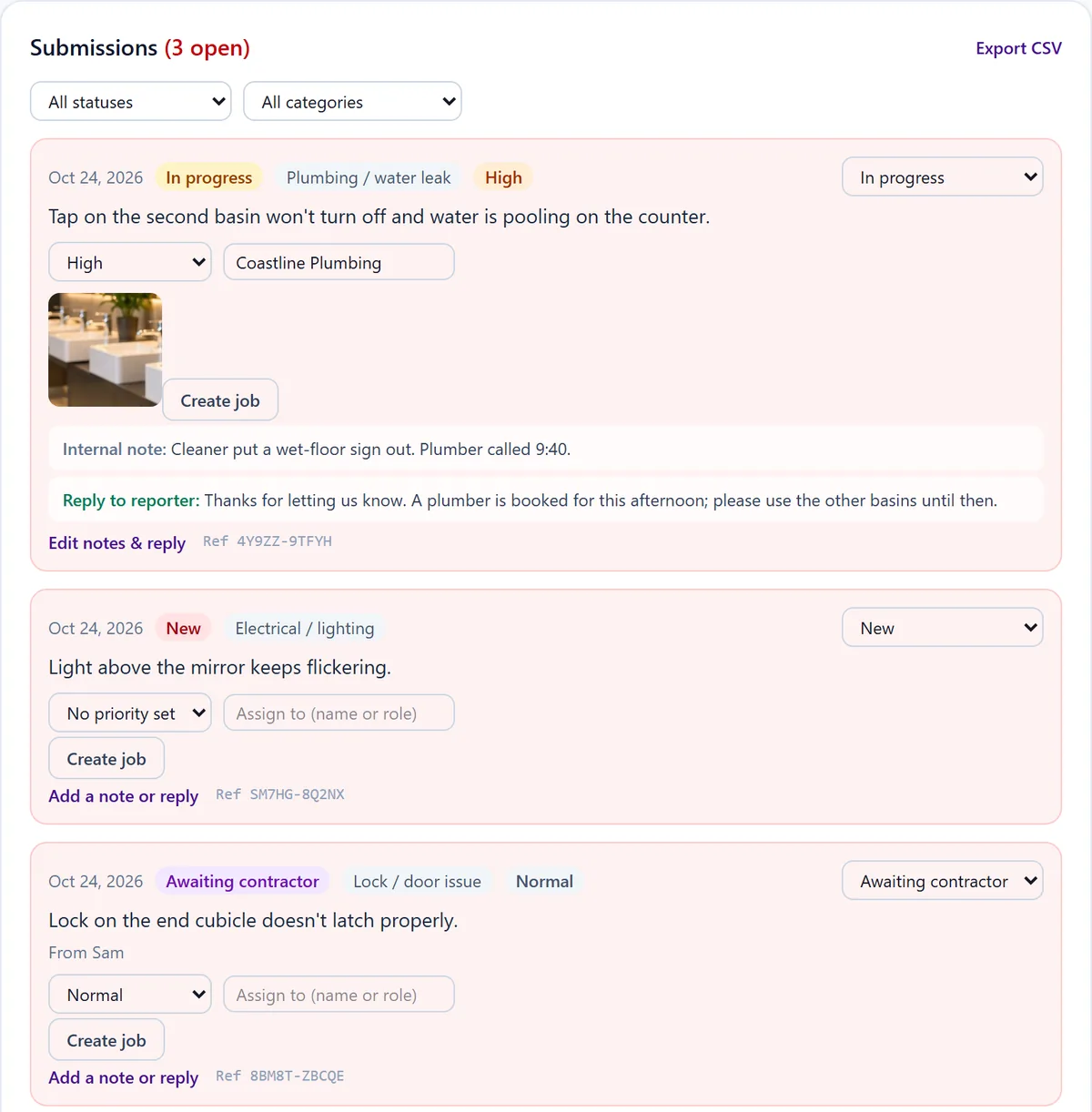
Your team manages it
Every report lands in the dashboard for that form, with the category, the photo and the time. Set a status and priority, assign it, keep internal notes the reporter never sees, and post a reply they can read with their code. Filter by status or category and export to CSV. Manage reports in your dashboard on Pro; on Business and above, an email alert also goes out for every new report. (The example account shown is on Business, which also adds the Create job button from Jobs & Scheduling.)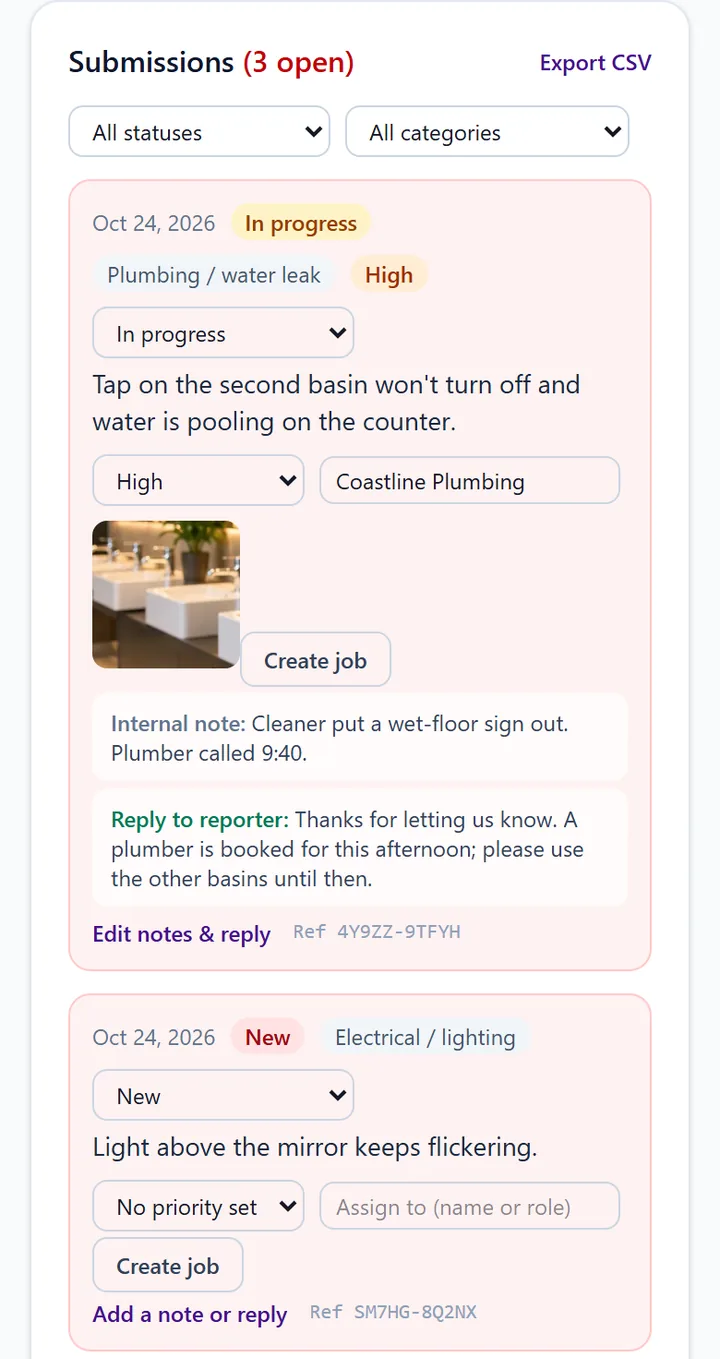
They check progress
Back on the same page, they tap "Check an earlier report" and enter the code. They see the current status and your team's latest update, and nothing else: not the original message, not anyone else's report.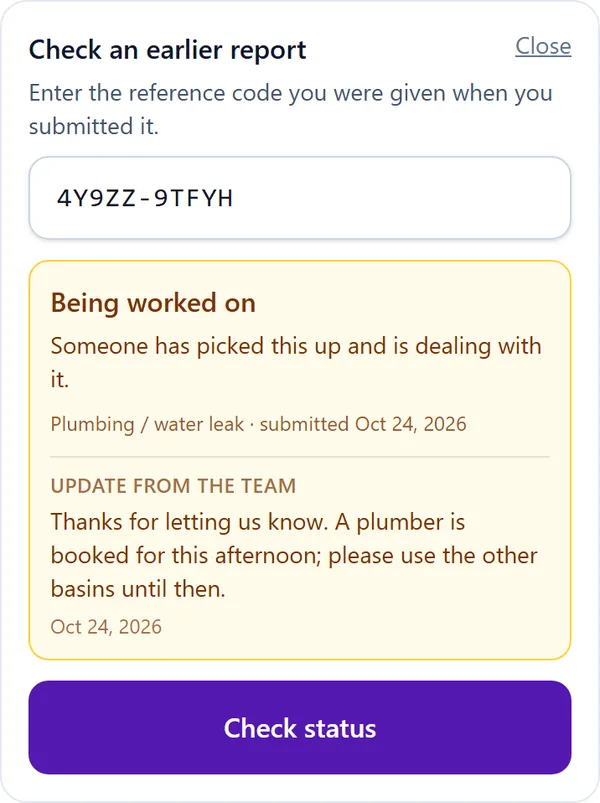
Problems get reported where they are noticed
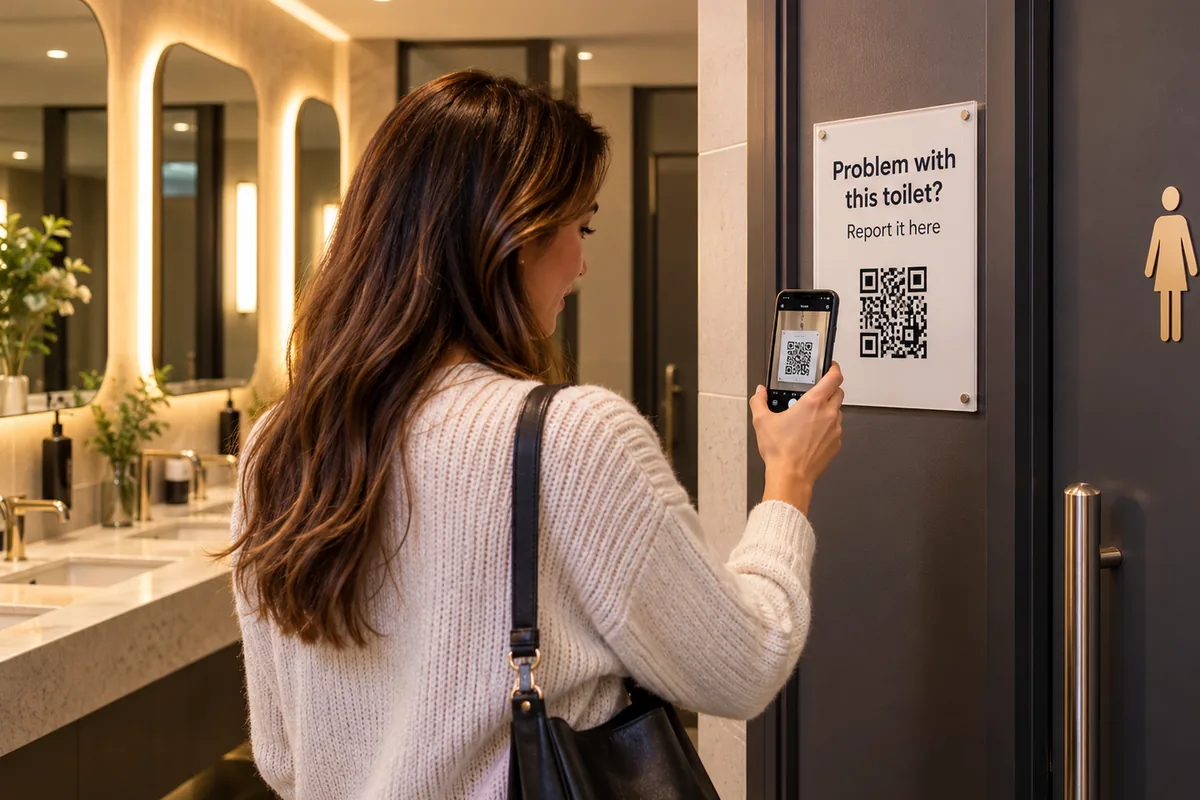
The person who finds a blocked toilet or an empty soap dispenser rarely knows who to tell, and usually doesn't bother. A sign on the door that says "Problem with this toilet? Report it here" removes the guesswork: one scan, a few words, and the right people know — with the exact restroom, floor or facility already attached to the report.
Typical reports: a toilet that won't flush, a leaking basin, an empty soap or paper dispenser, a broken lock, an overflowing bin, lights out, a damaged fixture, an accessibility problem or a safety hazard.
What the person scanning sees
A short page in their browser with your location name and instructions. They choose from the categories you switched on — general feedback, maintenance, cleanliness, damaged item, safety concern, suggestion, plumbing or water leak, electrical or lighting, lock or door, accessibility, graffiti, overflow or waste, fixture missing or broken, and more — then describe the issue. They can add a photo straight from the phone camera, and leave a name or contact detail if they want a reply.
Reports are anonymous by default; you can require a name or contact detail instead. After sending, they see your confirmation message and a reference code they can use later to check what's been done, without giving any personal details.
What your team sees
Each location's reports collect in your dashboard, filterable by status and category. Mark them New, Acknowledged, In progress, Awaiting contractor, Resolved or Closed; set a priority from Low up to Safety hazard; assign them, keep internal notes and post an update the reporter can read with their code. Export to CSV whenever you need a record.
On Pro, you manage reports in your dashboard: they wait there for your team to check. On the Business plan and above, an email alert also goes out for every new report.
Not an emergency line
The form isn't monitored in real time, and choosing the safety category tells the reporter so and points them to the appropriate emergency contact. Keep your usual emergency signage alongside the code.
One code per place, and where else it fits
Each report form has its own QR code and location, so give every restroom, floor or facility its own and you'll always know where a report came from. Print the code from your dashboard; because it's a dynamic code, you can change the form's categories and wording later without reprinting.
The same setup suits office buildings, hotels, gyms, cafés and venues, schools, parks and council facilities. Try the facilities reporting demo to submit a sample report and see the owner's view. For a machine, vehicle or tool that also needs manuals and a service history, use an Equipment Passport instead — it has its own fault report form.
QR Feedback & Issue Reporting is included on the Pro plan and above; plans are priced in US dollars on the pricing page.
Frequently asked questions
- Do people need an app or an account to report a problem?
- No. They scan the code with their phone camera and the report form opens in the browser. Reports are anonymous unless you choose to require a name or contact detail.
- Can they attach a photo?
- Yes, if you allow it (it's on by default). They can add a photo from the phone camera, and it is stored privately and shown with the report in your dashboard only.
- How will I know when a report comes in?
- Every report appears in your Scansational dashboard. On the Business plan and above you can also get an email alert for each new report.
- Can the person who reported it see what happened?
- Yes. After sending, they get a reference code. Entering it on the same page shows the report's status and any update your team has posted, without them giving personal details.
- Which plan do I need?
- QR Feedback & Issue Reporting is included on the Pro plan and above. Email alerts for new reports need the Business plan or above.
Ready to try it?
Included in Pro from US$15/month, with 100 dynamic QR codes. Cancel anytime. Compare plans