Visitor sign-in without the paper book
Put a QR sign on the reception desk or the front door. Visitors, contractors and deliveries sign in on their own phone in under a minute, and you always know who is in the building — no kiosk, no tablet, no app to install.
Included in Pro from US$15/month, with 100 dynamic QR codes. Cancel anytime. Compare plans
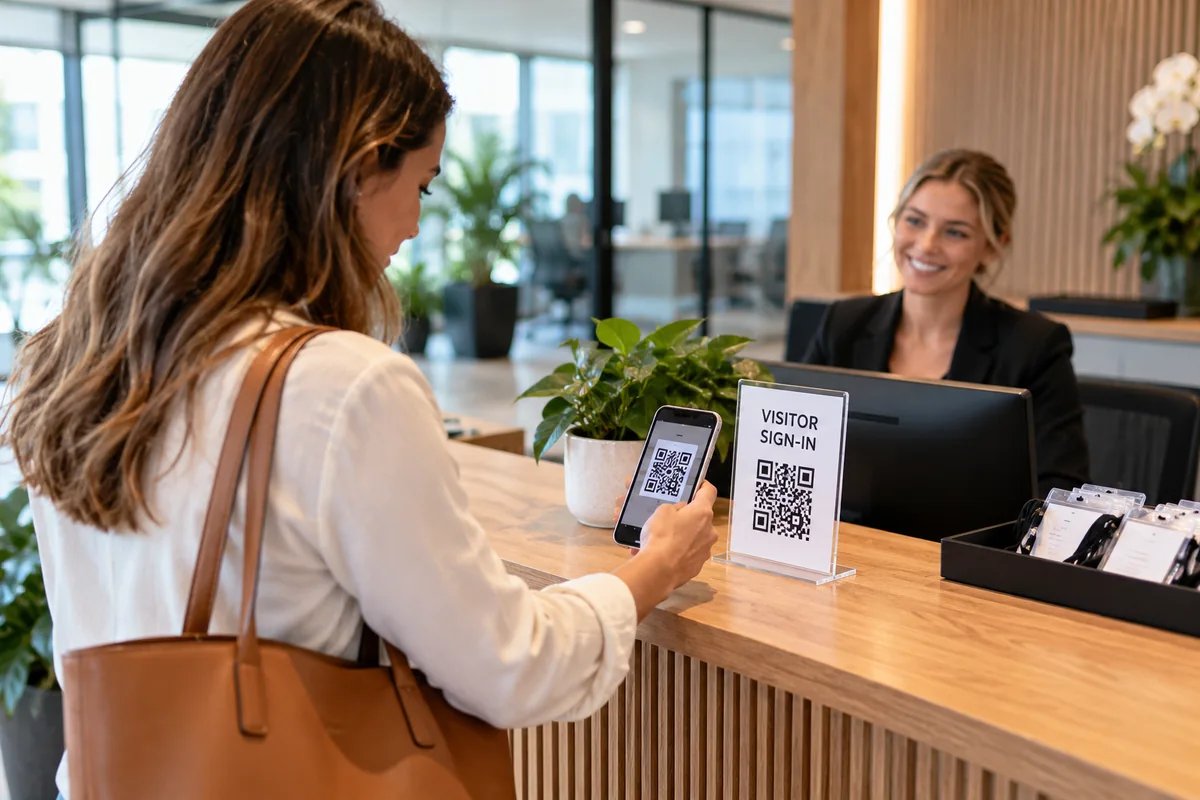
What happens at reception
Your visitor uses their own phone; you see the register in your dashboard. These are the actual screens.
Real Scansational screens — sample data.
They say who they are
Scanning the sign opens your sign-in page. They choose Visitor, Contractor / service or Delivery, so each person is only asked what's relevant to them.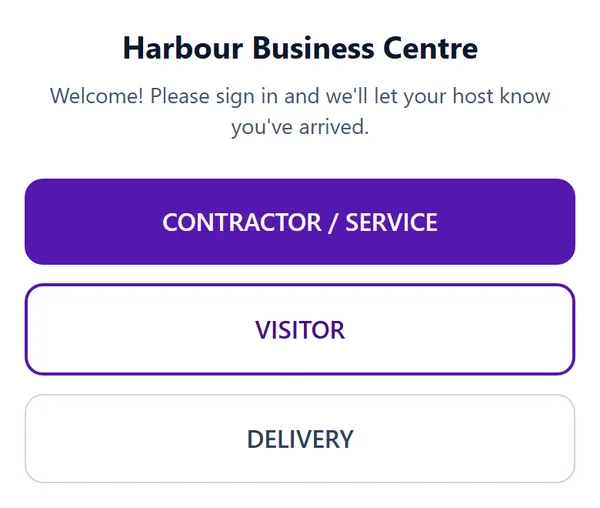
They sign in on their phone
A visitor gives their name and mobile and picks who they're visiting from your host list, with company and reason for the visit optional. Someone who has signed in on that phone before gets a one-tap "Sign in as…" next time.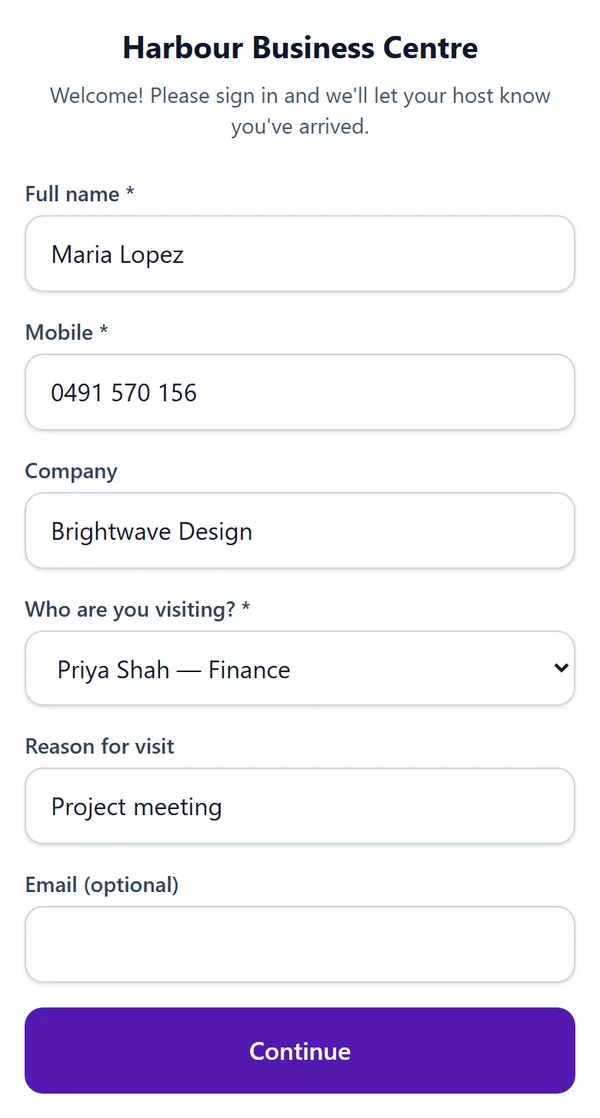
They're signed in, and can sign out
Once they've signed in, opening the sign-in page again on the same phone shows they're currently signed in, with a Sign out button for when they leave.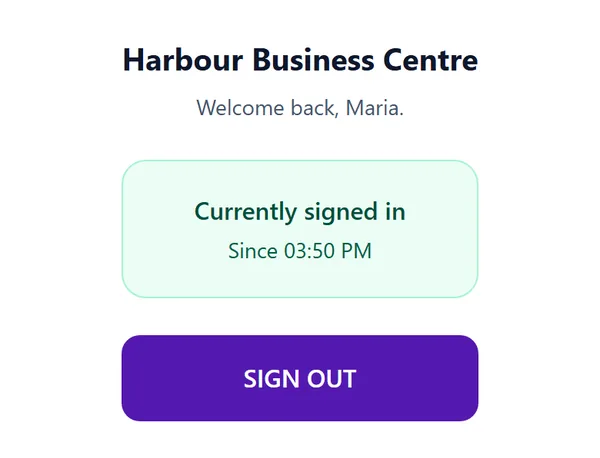
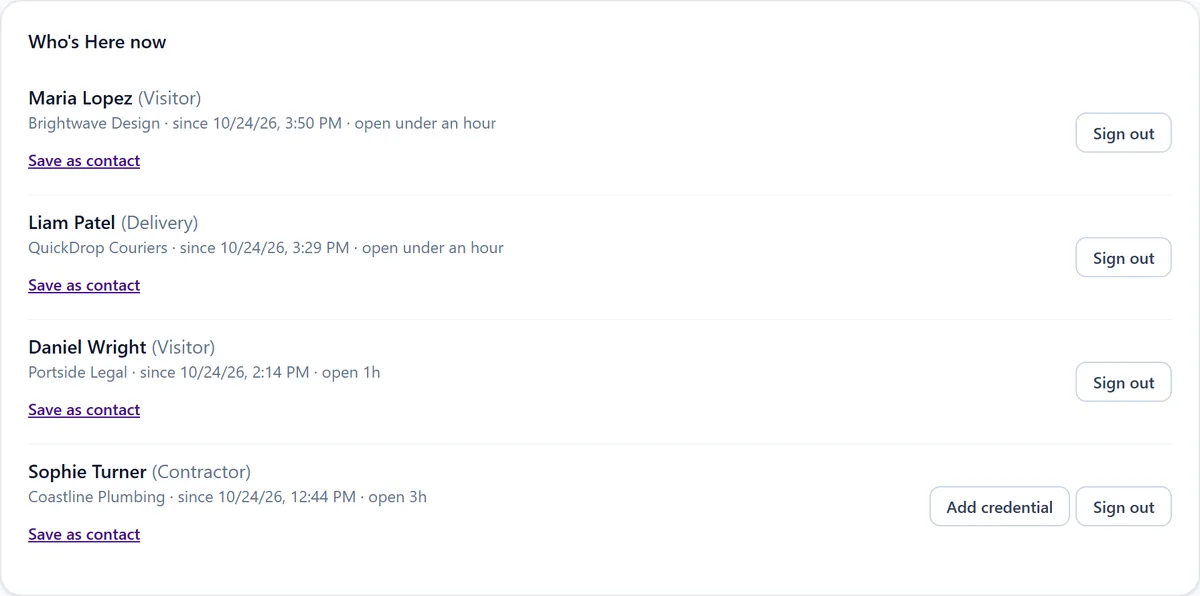
You see who's here
Your dashboard keeps a live Who's Here register for the site. Sign someone out yourself if they forgot, export the register to CSV or PDF, and print the reception sign from the same page.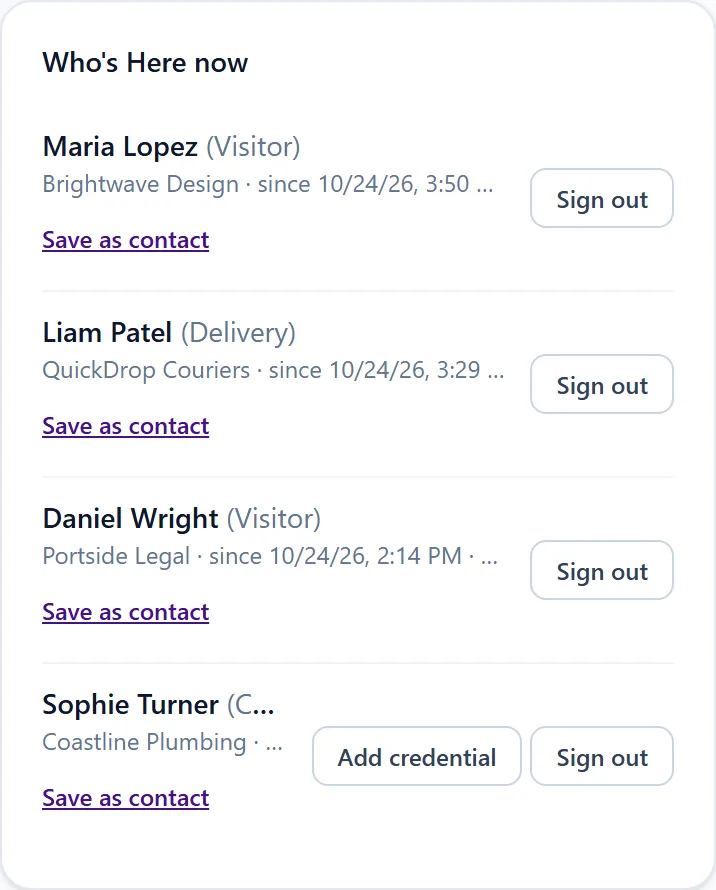
Made for reception desks and front doors
Offices, commercial buildings, warehouses, accommodation, facilities and anywhere with a reception area. One printed sign replaces the visitor book, and because each sign belongs to one site, the register always shows which building or entrance someone came through.
What each person is asked
Everyone gives their full name; email is always optional. Visitors also give a mobile number and who they're visiting, with company and reason optional. Contractors give a mobile number and company. Deliveries give their company, with a delivery reference optional. You choose which of the three types your sign offers.
If you switch on the host list, visitors pick a name and department from it. Your hosts' email addresses and phone numbers are never shown on the public page.
Letting people know someone has arrived
You can have an email sent to the site manager whenever a visitor signs in, and turn on an arrival email for any host on your list who has an email address. There's no SMS. Everything else works in the dashboard without any emails turned on.
Signing out
People sign out by scanning the sign again on the phone they signed in with. Managers can sign anyone out from the dashboard, and sign-ins left open for too long are flagged so you can close them. Nothing signs people out automatically, so the register reflects what actually happened.
Privacy and records
Sign-in details are stored in your Scansational workspace and shown to your team in the dashboard; the public page never shows who else is signed in. There's no automatic deletion schedule, so decide how long you keep visitor records under your own privacy policy, and let visitors know how their details are used. Our privacy policy explains how Scansational handles the data.
Building sites with workers, inductions and roll calls should look at construction site sign-in, which runs on the same system. Visitor Sign-In is included on the Pro plan and above; see the pricing page.
Frequently asked questions
- Do visitors need an app or an account?
- No. They scan the sign with their phone camera and sign in on a web page. There's nothing to install and no account to create.
- Do I need a tablet or kiosk at reception?
- No. Visitors use their own phones, so all you need is the printed sign, which you can print from your dashboard.
- How do visitors sign out?
- They scan the same sign on the same phone and tap Sign out. Managers can also sign people out from the dashboard.
- Will the person they're visiting be told?
- If you turn it on. The site manager can get an email for every visitor sign-in, and you can switch on an arrival email for each host on your list. There are no text messages.
- Can contractors and deliveries use the same sign?
- Yes. They choose Contractor / service or Delivery when they scan, and are asked for the details that fit.
- Which plan do I need?
- Visitor Sign-In is included on the Pro plan and above.
Ready to try it?
Included in Pro from US$15/month, with 100 dynamic QR codes. Cancel anytime. Compare plans