Shift sign-on with a scan at the workplace
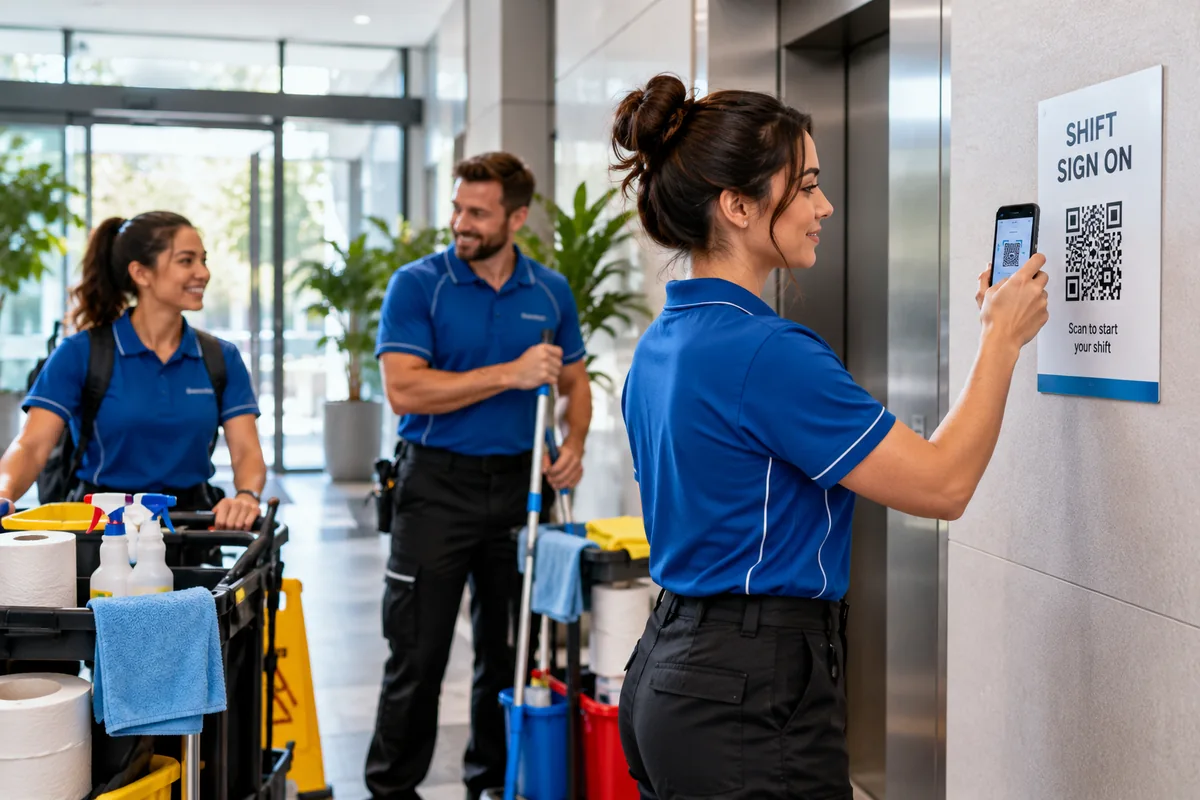
Put a QR sign at each workplace. Your staff scan it on their own phone to start their shift, take breaks and finish, and you get real start and finish times to approve — no kiosk, no time clock, no paper timesheets.
Included in Business from US$39/month, with 500 dynamic QR codes. Cancel anytime. Compare plans
A shift, start to finish
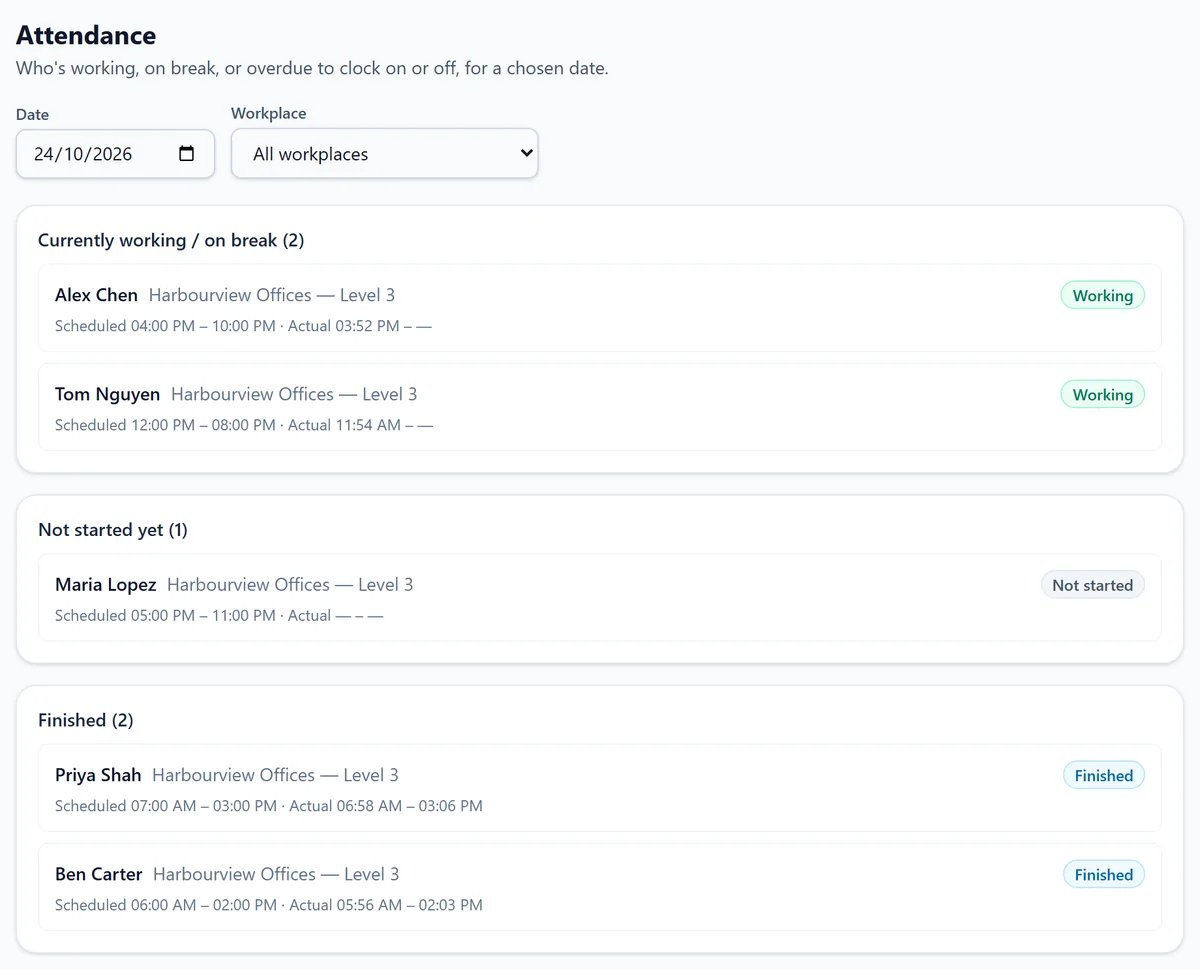
Staff use their own phones; managers work from the dashboard. These are the actual screens.
Real Scansational screens — sample data.
They scan the workplace sign
Staff you've invited sign in to their Scansational account on their phone once. From then on, scanning the sign at the workplace shows their shift for today with a Start Shift button. No shift on the roster? They can start an unscheduled one.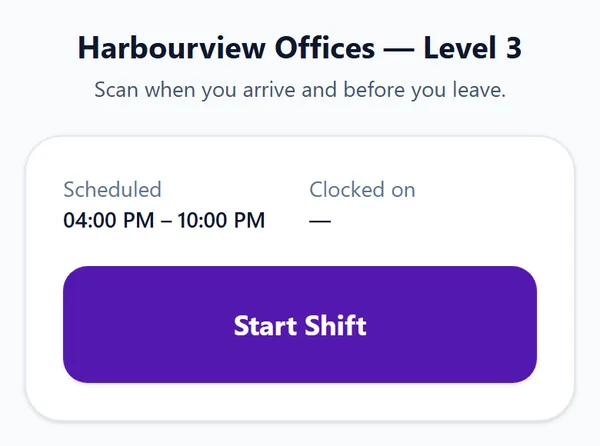
Breaks and finish, on the same page
While they're on shift, the same page offers Start Break, End Break and Finish Shift, so every time is recorded as it happens.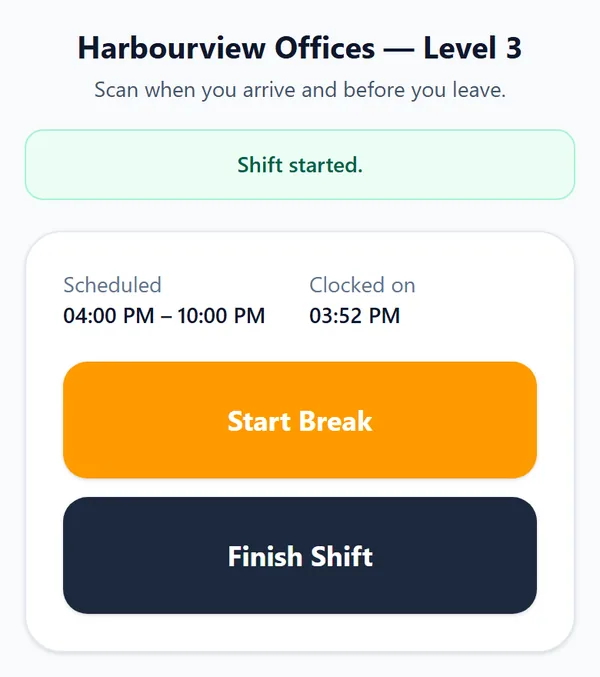
You see who's working, then approve real times
The attendance page shows who's working, on break, not started or finished for any day, with scheduled and actual times side by side. On the timesheets page, approve or reject times one at a time or in bulk, handle staff correction requests with a full history, and export to CSV for your payroll.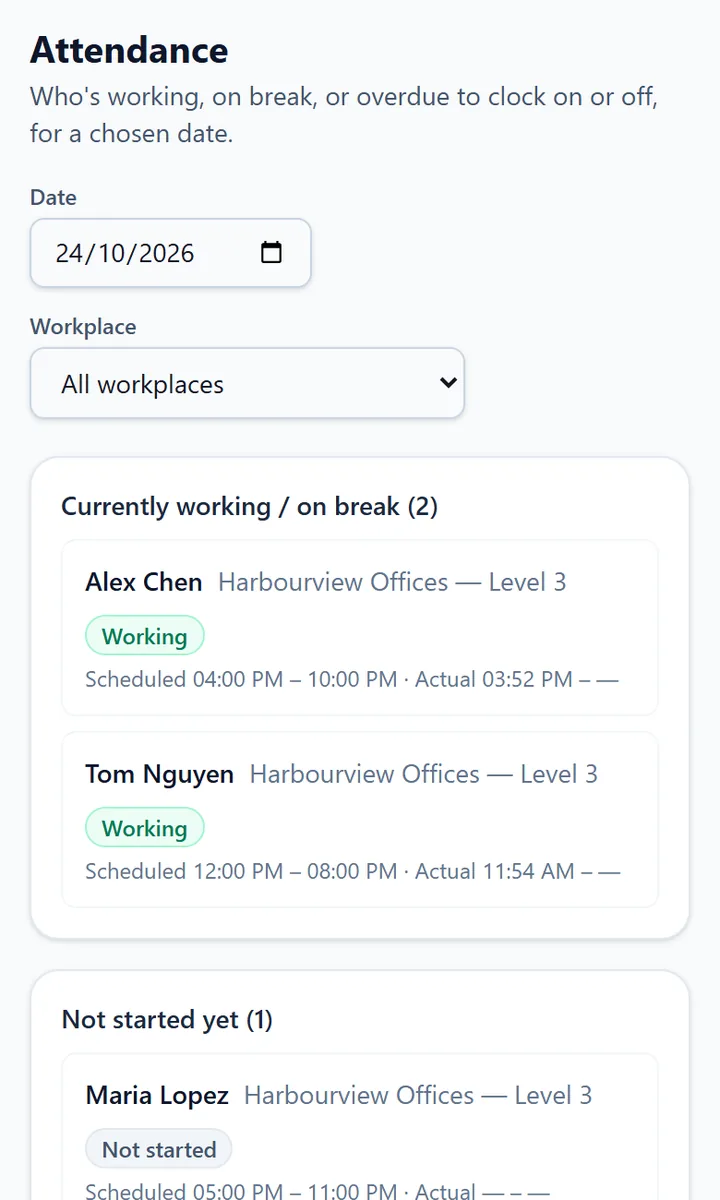
For teams that don't work at a desk
Cleaning businesses, hospitality venues, maintenance crews, security teams, field services and anyone running staff across several sites. Each workplace gets its own sign, so you know where a shift was worked, not just when.
Setting it up
Add your workplaces, invite staff by email and assign them to the workplaces they work at, then build shifts on the roster. Print each workplace's sign from the dashboard and put it where staff arrive. Staff see their upcoming shifts in My shifts.
Honest limits
Staff need their own Scansational staff login, so a stranger who scans the sign can't sign on. There's no GPS check on shifts and no direct payroll integration: timesheets export to CSV for your payroll system. Nothing here is a hardware time clock, and there's nothing to install.
Need visitors or contractors to sign in as well? Use visitor sign-in or construction site sign-in. To schedule customer jobs rather than staff shifts, see the Jobs & Scheduling example. Roster & Shift Sign-On is included on the Business plan and above; see the pricing page.
Frequently asked questions
- Do staff need to install an app?
- No. They scan the sign with their phone camera and use a web page. They do sign in to their own Scansational staff account, which you invite them to by email.
- What if someone works a shift that isn't on the roster?
- They can start an unscheduled shift from the same page, and it shows up for you to review like any other.
- Can staff fix a wrong time?
- They can request a correction. Managers approve or reject it, and the change history is kept.
- Does it connect to my payroll software?
- Not directly. Approved timesheets export to CSV, which you can import into your payroll system.
- Which plan do I need?
- Roster & Shift Sign-On is included on the Business plan and above.
Ready to try it?
Included in Business from US$39/month, with 500 dynamic QR codes. Cancel anytime. Compare plans