Know which contractors are on site — and for how long
A QR sign at each site entrance. Contractors and subcontractors sign in on their own phone, pick their company, and show the credentials you require. You see who's on every site in one place and get hours by company at the end of the week.
Included in Pro from US$15/month, with 100 dynamic QR codes. Cancel anytime. Compare plans

From the gate to the hours report
These are the actual screens, with fictional sample data.
Real Scansational screens — sample data.
They sign in at the gate and pick their company
Workers give their name and mobile and choose their company from your list of contractors and subcontractors (or “not listed”). Returning workers sign in with one tap on the same phone, and sign themselves out when they leave.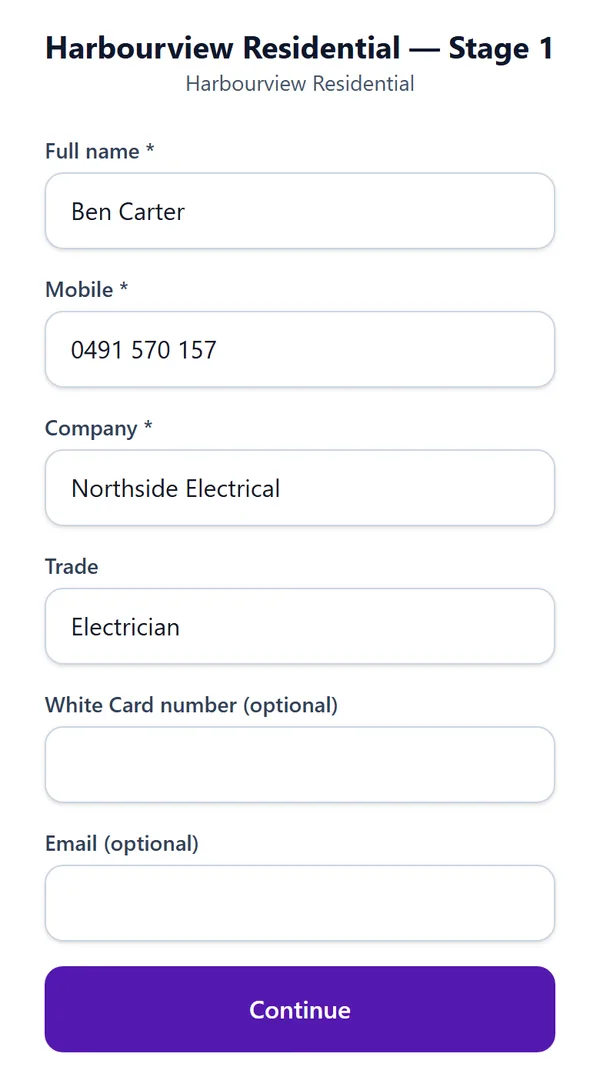
Inductions and credentials before they start
Require your site induction before first sign-in, and choose which credentials each site needs — licenses, certifications, first aid or your own. An expired credential can warn or block, and you get reminders before credentials expire.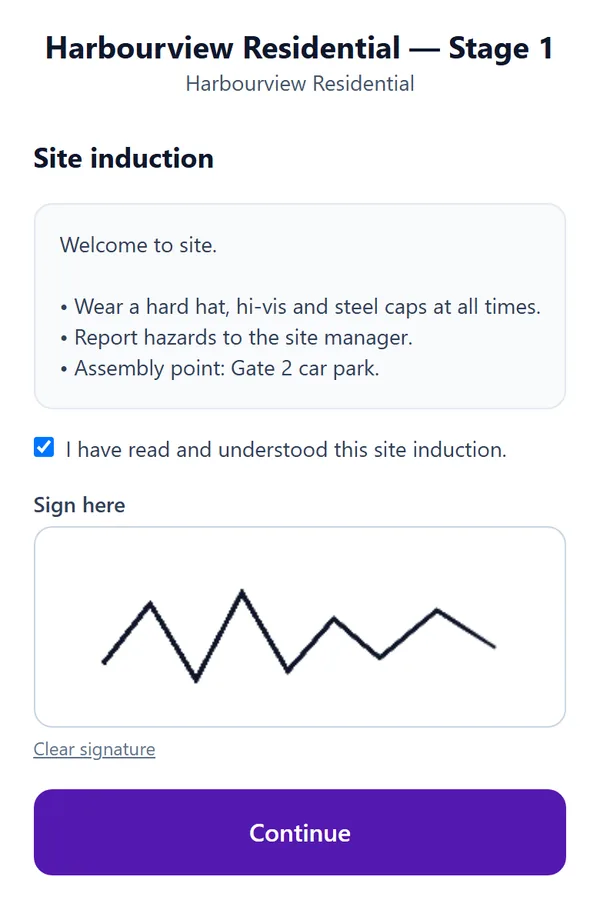
Everyone on site, across every site
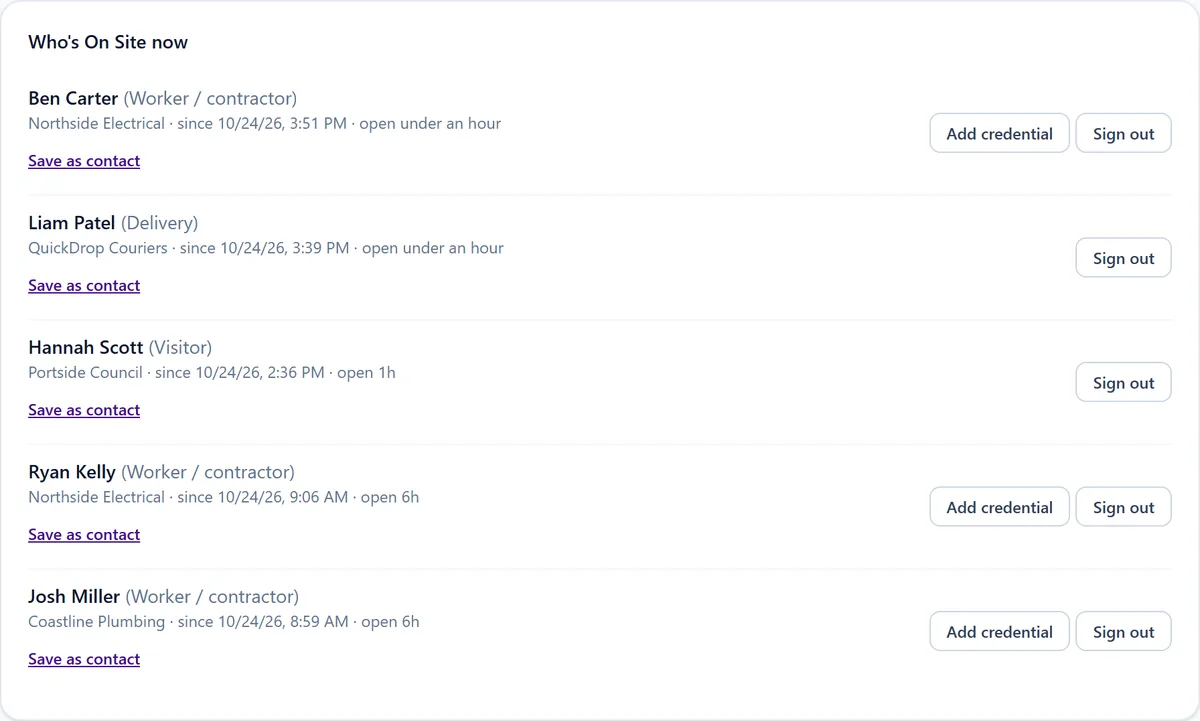
Each site has a live register, and the all-sites view shows who's on site everywhere, missing sign-outs and any roll call in progress. Give a project manager access to all your sites at once.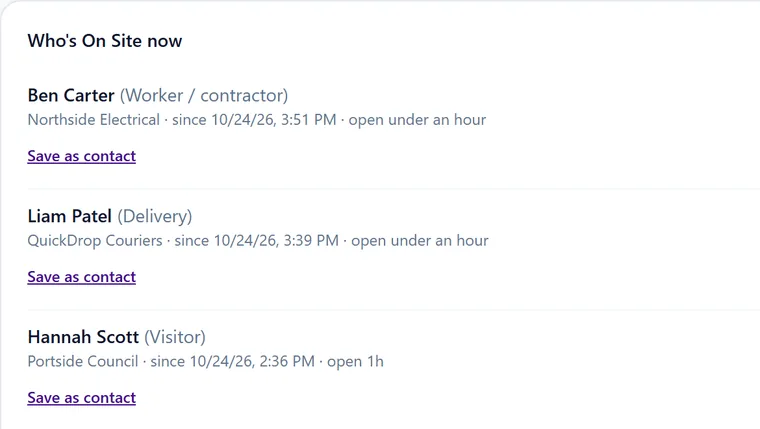
Emergency roll call
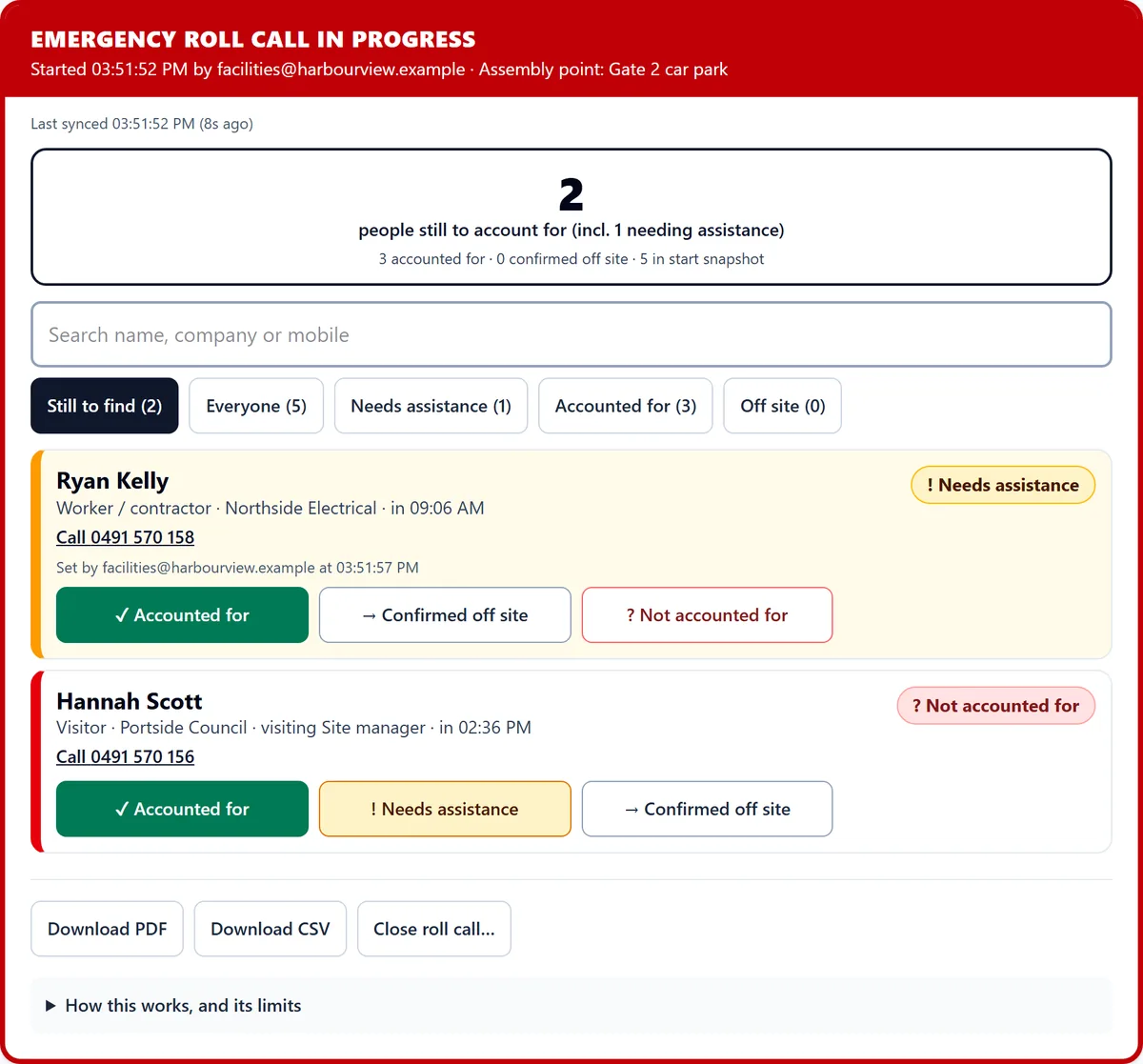
Start a roll call and everyone on site is listed for a warden to mark accounted for, needing assistance or already left. A closed roll call can't be edited.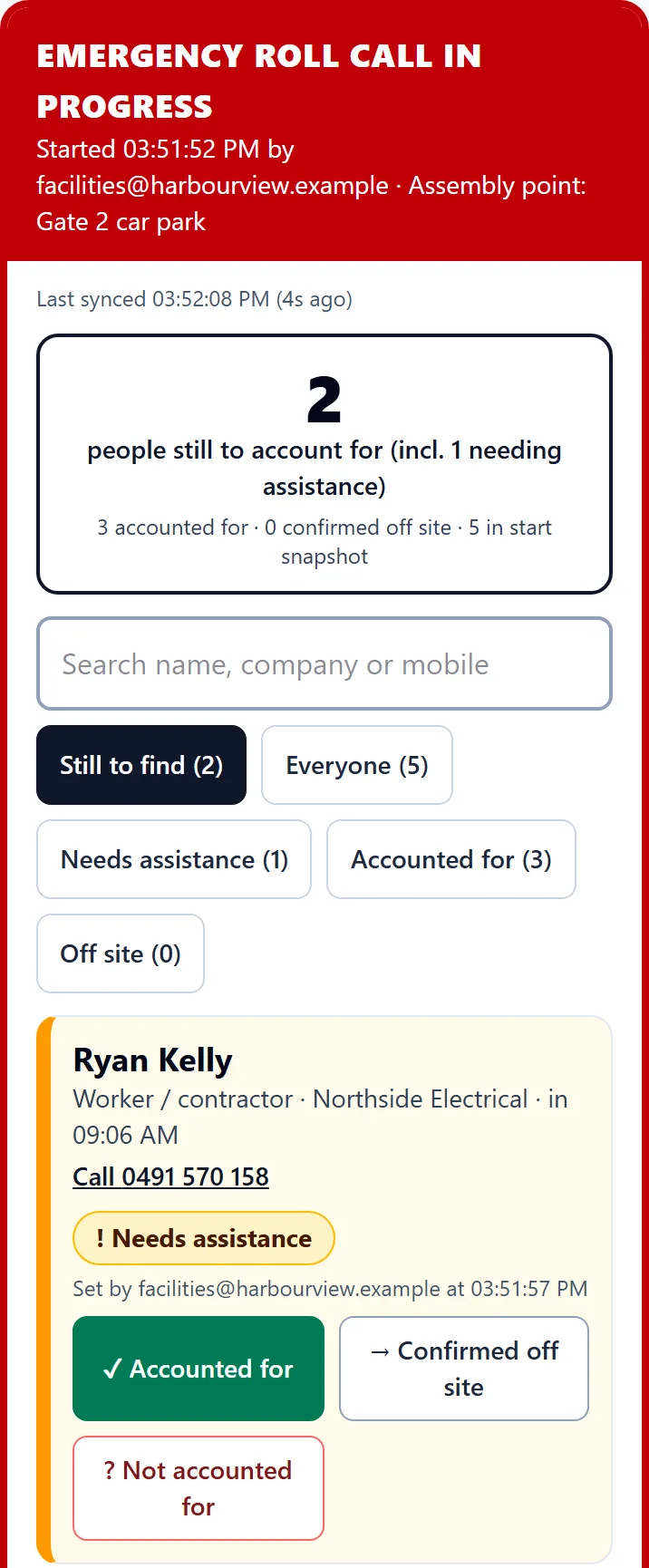
Hours by company, ready for invoices
Pick a date range and get total hours by company and by person, and each person's hours by day, across one site or all of them. Download as CSV for a spreadsheet or PDF to send. Missing sign-outs are shown, not guessed.
One company list for all your sites
Keep a single list of your contractors and subcontractors. Renaming a company keeps its history, and archiving one hides it from the sign-in form without touching past records.
Finished a job? Close the site
Close a finished site to free its QR for the next project. Its records stay, and you can export them at any time. Reopen it if the work starts again.
What it is, and what it isn't
Scansational records who signed in, when, for which company, and what they acknowledged. It doesn't verify a credential with the issuer, certify compliance with any law, or replace your safety system or payroll.
For the full construction gate experience — pre-starts, forms and GPS checks — see construction site sign-in. For an office reception, use visitor sign-in.
Frequently asked questions
- Do contractors need an app or an account?
- No. They scan the sign at the entrance and sign in on a web page. Returning workers can sign in with one tap on the same phone.
- Can I see all my sites at once?
- Yes. The all-sites view lists who's on site everywhere, missing sign-outs and active roll calls, and the hours report covers one site or all of them.
- Can I give a project manager access?
- Yes. Grant someone manager or view-only access to one site, several or all of them in one step. It takes effect on their next page load and can be removed the same way.
- What happens to records when a site closes?
- Nothing is deleted. A closed site stops taking sign-ins and frees its QR slot; its records stay and can be exported.
- Which plan do I need?
- Contractor sign-in is part of Site Sign-In, included on Pro and above.
Ready to try it?
Included in Pro from US$15/month, with 100 dynamic QR codes. Cancel anytime. Compare plans