Cleaning inspections your clients can see
Walk each site with your phone: a scored checklist, photos of anything that needs fixing, and a corrective action for every failed item. At the end of the month, send each client a branded PDF of what you inspected and fixed.
Included in Pro from US$15/month, with 100 dynamic QR codes. Cancel anytime. Compare plans
From the first checklist to the client's monthly report
These are the actual screens, shown with fictional sample data.
Real Scansational screens — sample data.
Start from ready-made cleaning checklists
Add eight scored checklists in one click — offices, washrooms and amenities, kitchens, floors, glass, common areas, waste and a general audit — with an 85% pass mark. They're starting points: edit the items, sections, weights and pass mark for each client.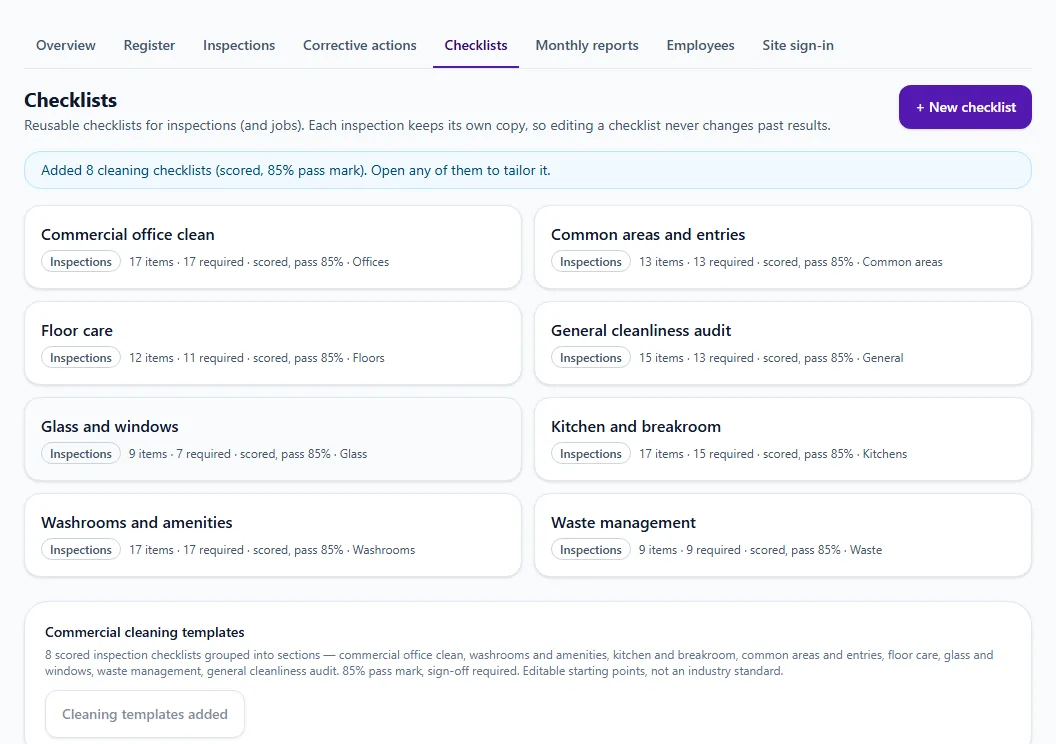
Inspect on a phone and get a score
Pass, fail or N/A each item, add photos (you can make photos required on any item), and sign off. The score is weighted, so a dirty washroom counts for more than a smudged window if you set it up that way.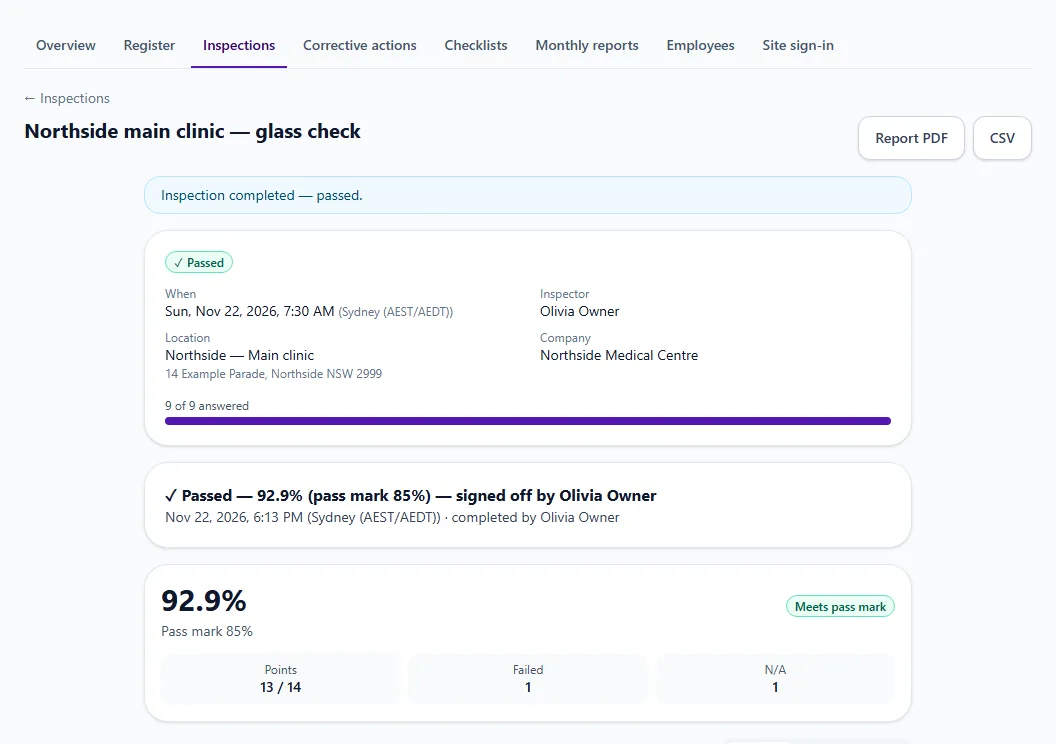
Fix what failed — and prove it
Each failed item can become a corrective action with a due date, an assignee, before photos and completion evidence. Turn on automatic actions and they're raised for you when an inspection is completed. Overdue actions are flagged.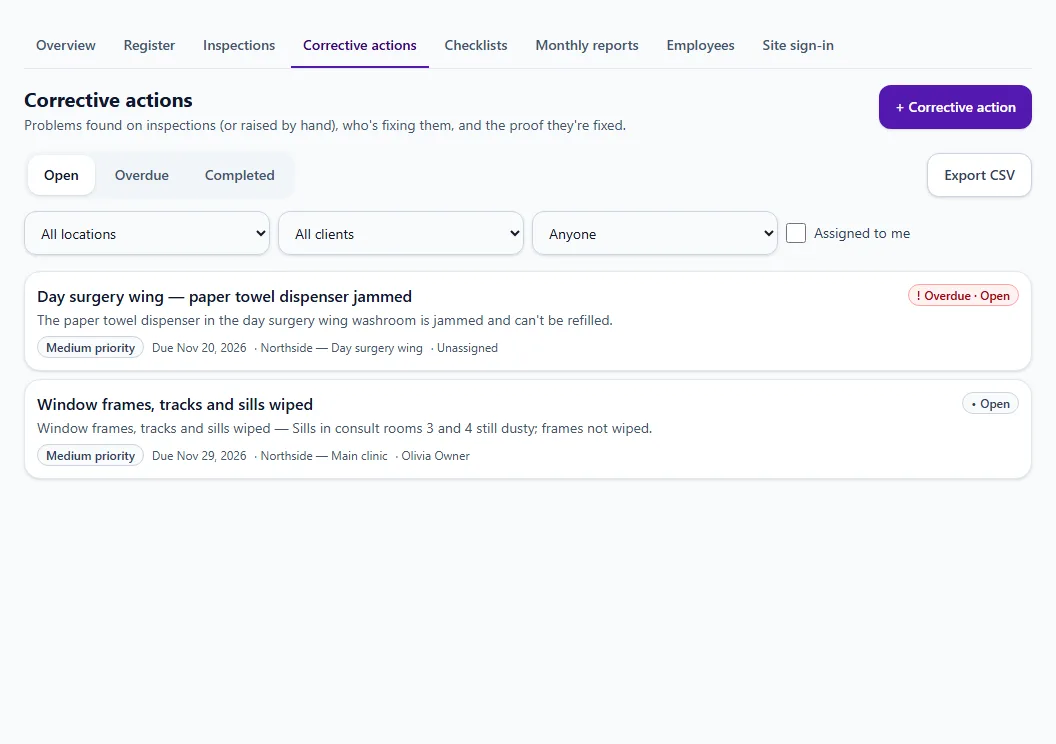
Send each client a branded monthly report
One PDF per client and month: inspections, scores, failed items with photos, and the actions taken. It carries your logo and company details, not ours. Keep versions if you regenerate, and optionally have it generated and emailed to the client each month.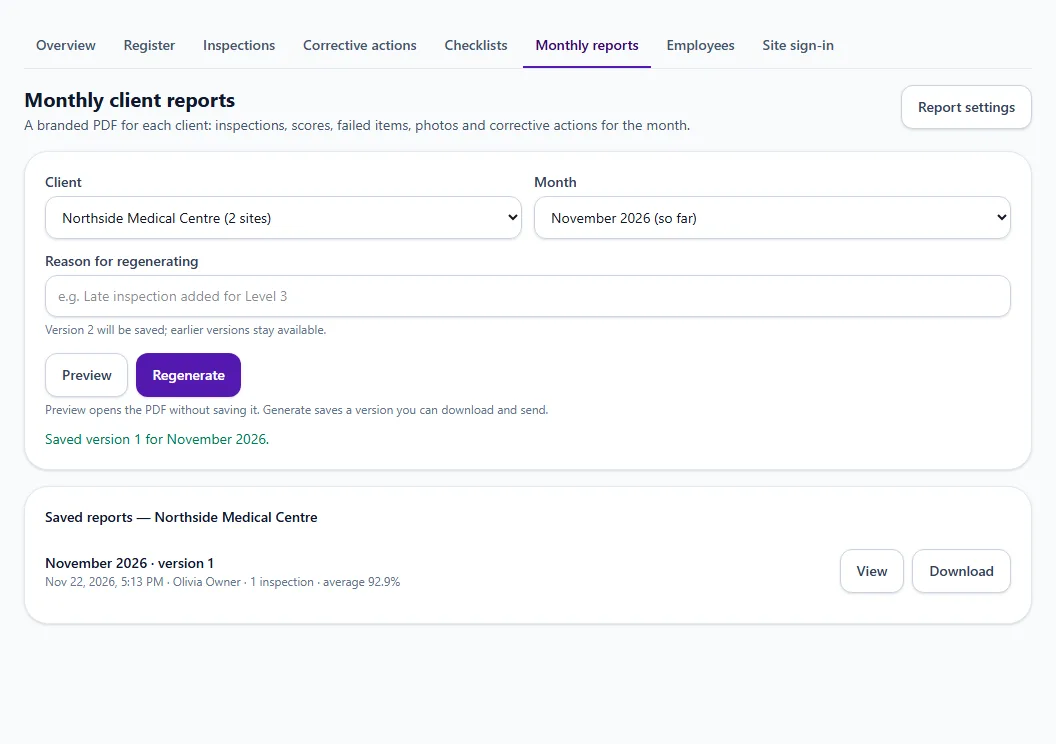
Supervisors see only their sites
Invite a site supervisor and choose which client sites they cover. They can run inspections and work on corrective actions at those sites — and nothing else: no other sites, no client reports, no employee records, no QR codes.
Inviting team members needs the Business plan (5 people) or Agency (20).
Insurance, certificates and staff documents
Keep your public liability, workers' compensation and other insurances, and certificates such as ISO 9001, with their expiry dates. Reminders go out 90, 60 and 30 days before and on expiry — or choose your own days per category.
Employee documents (passports, visas and work rights, police checks and your own types) are restricted to the workspace owner and compliance managers. Supervisors and other team members can't see them, and every view and download is logged.
What it is, and what it isn't
Scansational records what was inspected, what failed, what was done about it and when. The checklists are editable starting points, not an industry standard, and the software doesn't certify that a site meets any regulation or contract.
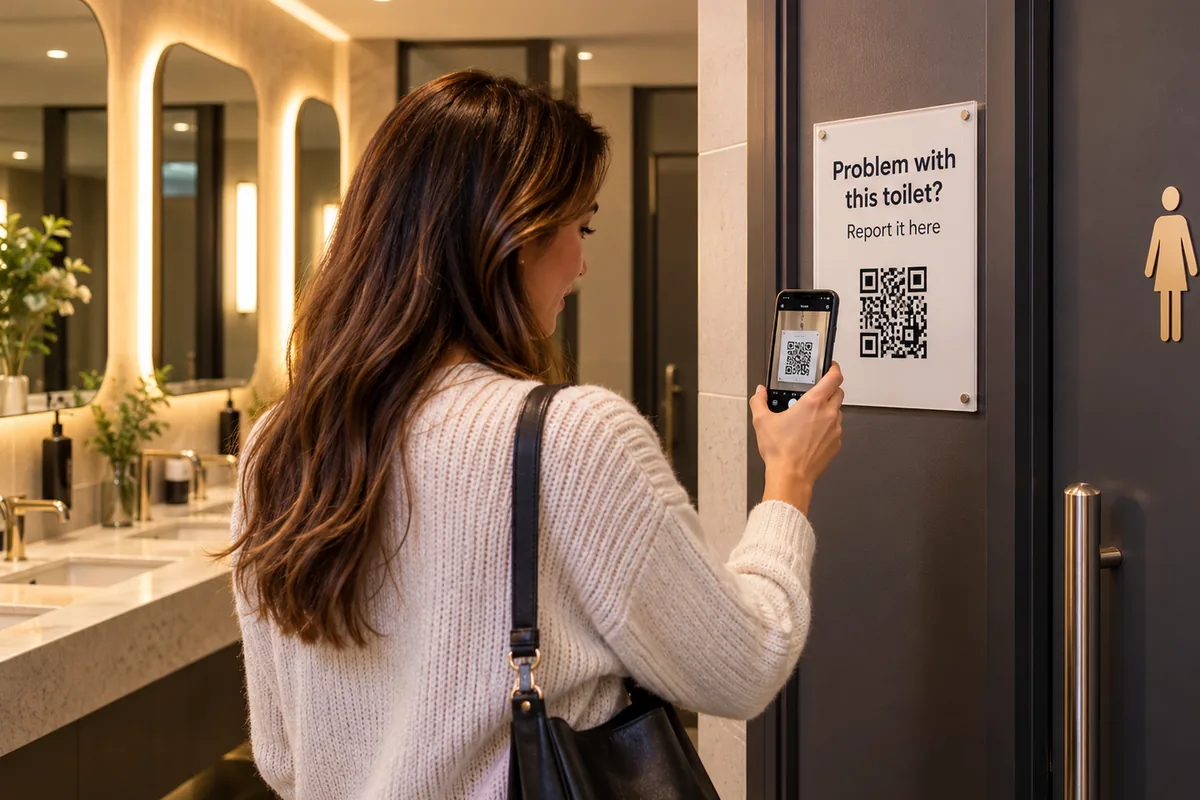
Running a building or a portfolio rather than a cleaning business? See facilities management. Want people to report a mess or a fault by scanning a QR? See fault & issue reporting.
Frequently asked questions
- Do my cleaners need an app?
- No. Inspections run in the browser on any phone. Supervisors and staff sign in to their own account; there's nothing to install.
- Can I change the checklists?
- Yes. Edit items, sections, weights, which items are required or need a photo, and the pass mark. Each inspection keeps its own copy, so editing a checklist never changes past results.
- Does the client report show your brand?
- No. The PDF carries your logo, company name and details. You can add an introduction and closing message.
- Can reports be sent automatically?
- Yes, if you turn it on per client: generated on the day of the month you choose and emailed to the addresses you set. It's off unless you switch it on.
- Who can see employee documents?
- Only the workspace owner and people given the compliance manager role. Everyone else gets a not-found page, and access is logged.
- Which plan do I need?
- Inspections, corrective actions, client reports and compliance reminders are included on Pro and above. Inviting supervisors and team members needs Business or Agency.
Ready to try it?
Included in Pro from US$15/month, with 100 dynamic QR codes. Cancel anytime. Compare plans